

EDUCATIONAL ACTIVITY PLAN
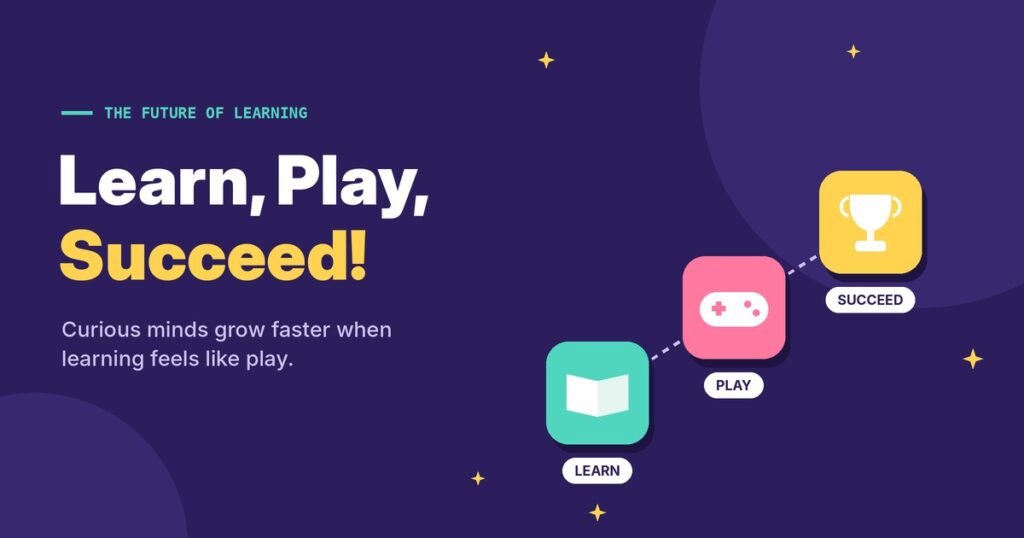
TOPIC: | The Future of Learning – Learn, Play, Succeed! |
CLASS / DURATION / PREPARED BY: | Grades 7- 9; 1 lesson; Prepared by: Zita Nichtová, English teacher, ZŠ ŠS Starý Tekov |
LEARNING TASK
Students explore how digital tools and educational games can make learning more engaging, interactive and accessible. Working in teams, they solve learning challenges, create a short digital quiz and reflect on how technology can help students learn at their own pace.
The main question is: How can digital tools make learning better for everyone?
Students will experience different ways of learning and discover that technology is most useful when it helps people understand, practise and share knowledge.
GOALS ACCORDING TO THE GENERAL CURRICULUM
- To understand the role of digital technologies in modern education.
- To recognise the benefits and limitations of digital learning tools.
- To develop digital literacy, creativity, communication and problem-solving skills.
- To learn how to use digital resources responsibly and safely.
- To promote active learning, equal learning opportunities and student participation.
- To create a simple digital learning activity that can be shared with other students.
General competences
- Students communicate in English, explain their answers, discuss learning strategies and present their ideas clearly.
- Students use digital educational tools to solve tasks, create quizzes and share information responsibly.
- Students reflect on their learning, select suitable strategies, solve challenges and evaluate which digital activities help them learn most effectively.
Subject competences
- Students understand instructions, answer questions, use vocabulary related to education and technology, and formulate short quiz questions in English.
- Students use an educational platform to participate in a quiz or create a simple digital learning resource.
- Students cooperate, respect different learning needs and recognise the importance of responsible, balanced and inclusive use of technology.
Integration with Other Subjects
- English: Vocabulary, reading comprehension, writing questions and speaking.
- Informatics: Digital quizzes, online collaboration and safe technology use.
- Geography: Questions about countries, nature, climate and the environment.
- Mathematics: Logical thinking, problem-solving and interpreting quiz results.
- Civic Education: Equal access to learning and responsible digital citizenship.
MATERIALS / EQUIPMENT
Computers, tablets or smartphones, if available, interactive whiteboard or projector, Internet connection, quiz platforms: Kahoot, Blooket, Quizizz or LearningApps, prepared questions and task cards, paper and pens as a backup if digital devices or internet access are unavailable.
LEARNING ACTIVITIES
Activity 1: Digital Learning – Yes or No? ( 5 min.)
The teacher reads statements about digital learning. Students respond by moving to a designated side of the classroom, raising a YES/NO card or answering through a digital poll.
Example statements:
- Digital games can help us remember new information.
- Everyone learns best in exactly the same way.
- We can learn from mistakes.
- Using technology always makes learning easier.
- We should check whether online information is reliable.
Students briefly explain their answers. The teacher introduces the lesson question: How can digital tools make learning better for everyone?
Activity 2: EcoSense Digital Learning Challenge ( 10 min.)
Students participate individually or in small teams in a short digital quiz using Kahoot, Blooket or Quizizz.
The quiz contains 8–10 questions about learning, digital skills, responsible technology use and sustainability.
Example questions:
- What is the best thing to do when you do not understand a topic?
- Give up.
- Ask for help and try another learning method.
- Copy somebody else’s answer.
Correct answer: B
- Which digital tool is useful for practising vocabulary?
- An online flashcard game.
- A random video with no connection to the topic.
- A calculator only.
Correct answer: A
- What should you do before sharing information found online?
- Check whether it is reliable.
- Share it immediately.
- Change the author’s name.
Correct answer: A
After the quiz, students identify which questions were easy and which required more thought.
Activity 3: Create Your Own Learning Game ( 12 min.)
Students work in teams of 3–4. Each team chooses a school subject and creates a mini digital game with five questions.
They can use:
- Kahoot or Quizizz: Multiple-choice quiz.
- LearningApps: Matching pairs, a word puzzle or a matching game.
- Blooket: A quiz-based game, if available.
- Google Forms: A short self-checking quiz.
Suggested topics include English vocabulary, geography facts, mathematics, climate, recycling or environmental protection.
Each game must have five questions, answer options or matching pairs, and correct answers.
Students should make their game clear, accurate and appropriate for other pupils aged 12–15. If devices are limited, teams can design their questions on paper and enter them digitally later.
Activity 4: Play, Test and Improve! ( 10 min.)
Teams exchange their games and test another team’s quiz or matching activity.
After playing, each team gives feedback:
- Was the game easy to understand?
- Did it help you learn something?
- Were the questions interesting?
- What could be improved?
Teams make one quick improvement based on the feedback, such as simplifying a question, adding a useful hint or correcting an unclear answer.
The teacher highlights that educational games should support learning, not only competition. Everyone should have an opportunity to participate, regardless of how quickly they answer.
Activity 5: My Learning, My Future
Students reflect individually using a digital exit ticket, Google Forms or sticky notes.
They complete these sentences:
- The digital tool I found most useful was…
- I learned that digital games can…
- One advantage of digital learning is…
- One thing technology cannot replace is…
Volunteers share their answers. The class discusses how teachers can combine technology, teamwork, discussion and practical activities to support better learning.
The teacher invites teams to share their completed games in the EcoSense Virtual Learning Centre so other students can use them.
REFLECTION and ASSESSMENT
Assessment methods
- Teacher observation of participation, cooperation and responsible technology use.
- Results and discussion from the opening quiz.
- Assessment of each team’s five-question digital game.
- Peer feedback and improvements made to the games.
- Individual exit tickets.
Assessment criteria
Criteria | Expected achievement |
Understanding | Explains at least one benefit of digital learning. |
Digital skills | Uses or designs a simple educational digital activity. |
Subject knowledge | Creates accurate questions and answers. |
Cooperation | Shares tasks and listens to teammates. |
Critical thinking | Uses feedback to improve the game. |
Reflection | Identifies how technology can support learning. |
Student self-assessment
Students rate themselves from 1 (not yet) to 5 (very well).
- I can use a digital tool to practise or share knowledge.
- I can create a simple educational question or game.
- I can work with others to solve a learning challenge.
- I can explain one benefit and one limitation of digital learning.
- I can use digital tools responsibly.
Expected Learning Outcomes
By the end of the 45-minute lesson, students will be able to:
- Explain how digital tools can support quality education.
- Participate in a digital educational quiz.
- Create a simple learning game with at least five questions or tasks.
- Test another team’s game and provide constructive feedback.
- Reflect on the advantages and limitations of technology in education.